Edit videos with Claude by pointing at what to change
Cutfac is a Mac app that runs Claude Code on your videos. You mark the moment that's wrong and say what to change, and Claude makes the edit, renders it and shows you the old and new versions side by side.
How Claude video editing works in Cutfac
There's no timeline to learn. Every edit is the same four steps.
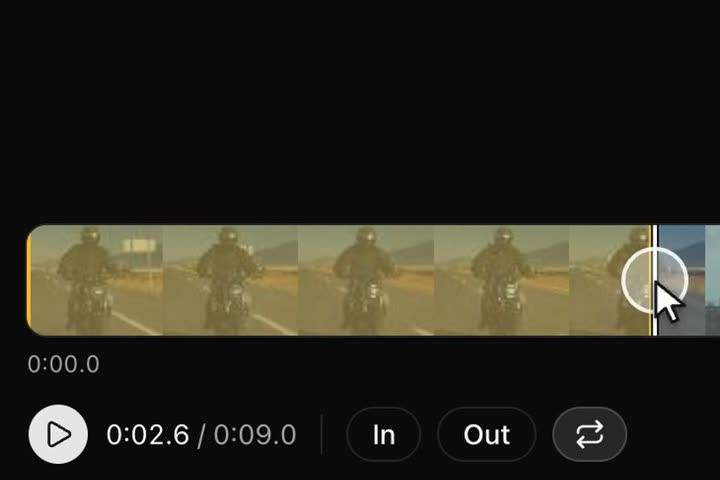
Select a range
Drag across the timeline, or press I and O at the playhead to set the start and end. Press L to loop it while you decide.
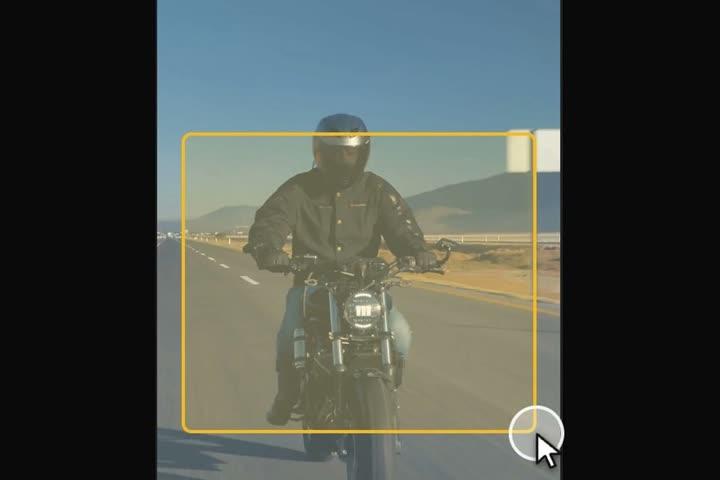
Box an area
Drag a box over the part of the frame you mean: a caption, a logo, a face. The box is drawn onto the frame the agent sees.
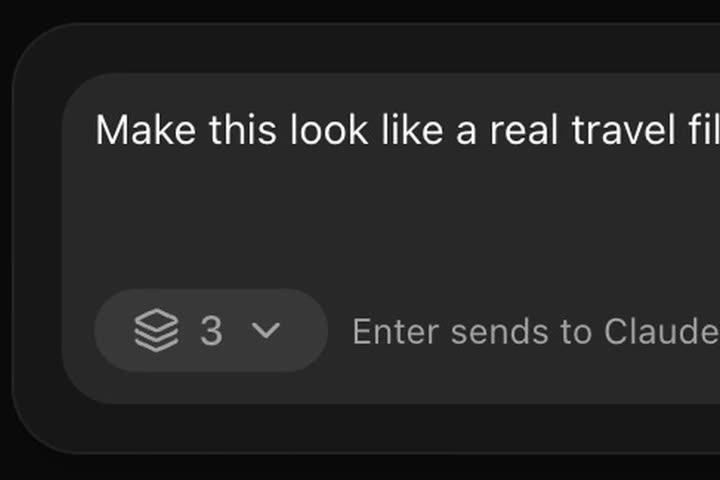
Ask in your own words
Type the change and press Enter. Follow-up requests stay in the same conversation, so “a bit more” works.
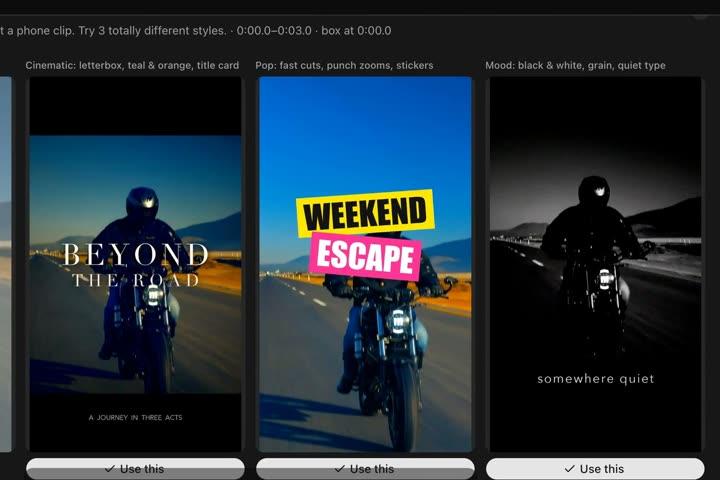
Compare and keep
When the agent finishes, play the old and new versions side by side. Keep the edit, or restore the previous version with one click.
What Claude does
Claude Code does the cutting, captioning and rendering with your own Claude account.
Makes the video
Ask for a video in your own words. Claude writes it as code and renders it, and every file stays on your Mac.
Edits the part you point at
Each request carries a clip of the range you selected, the frame with your box drawn on it, the timecodes and the path to the original file.
Checks its own render
Claude probes each render for codec, aspect ratio, resolution and audio, then looks at the frames a viewer sees and fixes the largest defects.
Makes versions to compare
Ask for several takes of the same idea and watch them next to each other, then keep the one you like.
Learns your product first
Paste your site, your store page or a video you like. What Claude learns goes into a file every later run reads.
Remembers each video
Each video gets its own session, so “a bit more” works and nothing leaks between videos.
Claude Code alone, or Claude Code in Cutfac
Claude Code can already edit video from a terminal. It writes and runs ffmpeg commands or a Remotion project, and our guide follows one run from a landscape clip to a captioned Short.
What the terminal lacks is a way to show Claude what you mean. Claude doesn't watch the video, so you end up describing a frame in words and opening each render yourself. Cutfac hands it the range, the frame and your box, checks every render against upload rules, and plays the versions side by side so you choose by watching.
Edit a video with Claude Code and no appWhat stays yours
Your account
Agent runs use your Claude or ChatGPT plan, or your API usage, the same as when you code. Cutfac doesn't charge for AI.
Your files
Everything lives in the workspace folder on your Mac. Cutfac doesn't upload your videos.
Your say
When you make a template from a link, your agent can only read until you press Allow. The tools tell it to ask before it installs a skill or program a format needs.
Questions
Yes, by writing and running code. Claude Code edits with tools such as ffmpeg and Remotion, not on a timeline. It doesn't watch the video, so it checks its work through file details and still frames, and you make the final call.
Claude Code, installed on your Mac and signed in with your own account. Runs count against your Claude plan or your API usage, and Cutfac doesn't charge for AI. Any other assistant works through the Copy prompt button, without the cutfac tools.
Yes. Cutfac runs Claude Code or Codex, and you pick the agent, model and reasoning effort for each request.
Free for 3 videos per Mac, with every feature and no watermark. After that it's a one-time license from $49, with a year of updates.
No. Each video is a folder of plain files on your Mac, and Cutfac doesn't receive it. Claude does send what it reads to Anthropic, under Anthropic's terms.
No. Cutfac runs only on macOS.
A format that understands your product.Set it once, make the rest.
Your agent makes video after video in your format. You only point at what to fix.